- In the CiviCRM menu, under Events. how to elaborating a price set.
- Manage Events
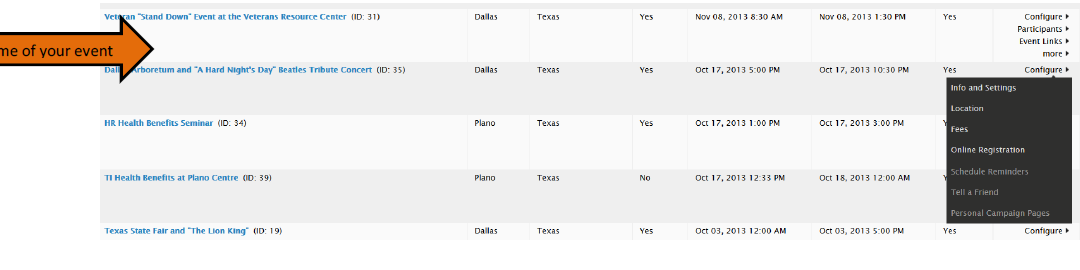
- Scroll down to the event created.
- On right hand side of the page, select Configure then Info and Settings.
- In Info and Settings, fill out each box appropriately. The more information the better.
- Each tab addresses a need the event attendee needs. The following pages have screen shots.
- Hit Save on each page.
- If price sets are needed see page 5.
- Set-up Online Registration with text.
- Use the test link to verify all the information you’ve entered is how and where you want your members to see it when registering. Test link is under the black tab on the upper left.
- To find events that have passed already but need to add people to its attendance record: Select the Search All or by Date Range option under Find Events

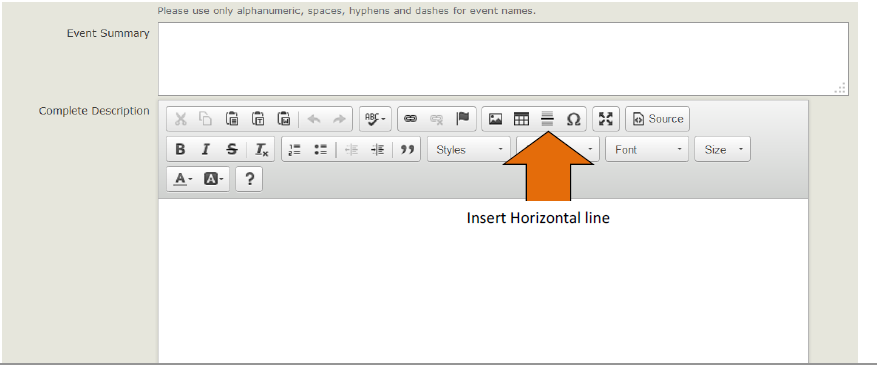
Remember to provide Event Summary and Login Instructions under the Info and Settings Tab. To provide space between the 2 entries you can add a horizontal line and hit enter to provide a space.
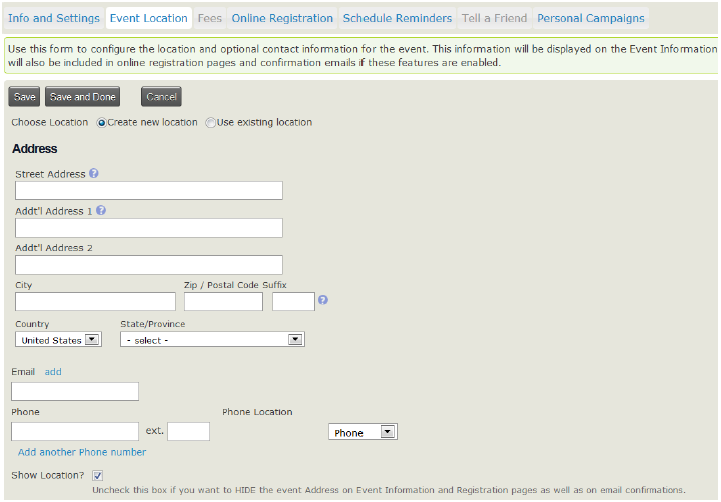
I always recommend putting the location of the event in the registration process; it’ll show on their confirmation email.
There are various ways of handling events that require fees. But if there is a fee, it needs to be checked here:
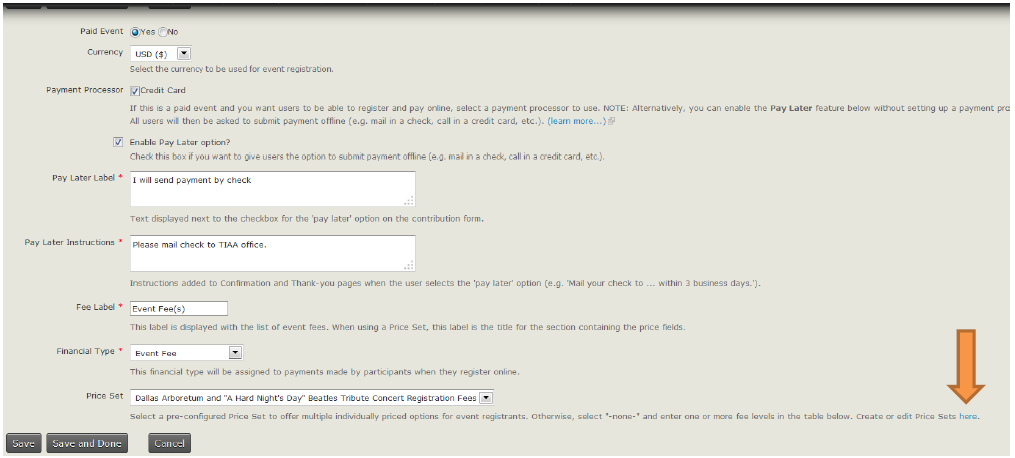
To find Price Set options a quick link is available under the box. See Arrow above.
Price sets:
Events → Manage Price Sets is another way to get here:

View and Edit Price Fields (see above arrow):
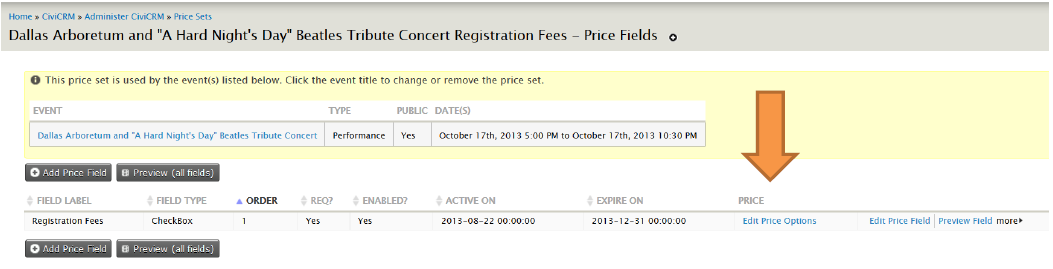
Edit Options:
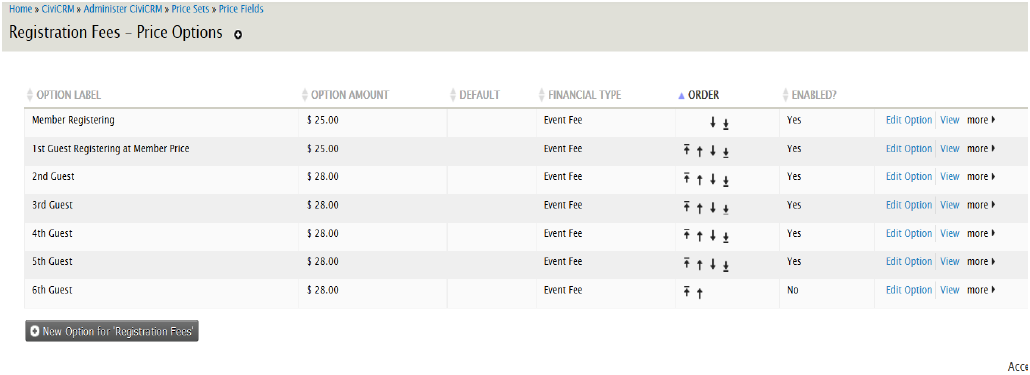
You can add different price-sets for all events this way, for any price.
This step is different than the Info and Settings, this tab indicates when your members are allowed to see the live event online to register:

To insert a picture, map or logo, you can use this screen:
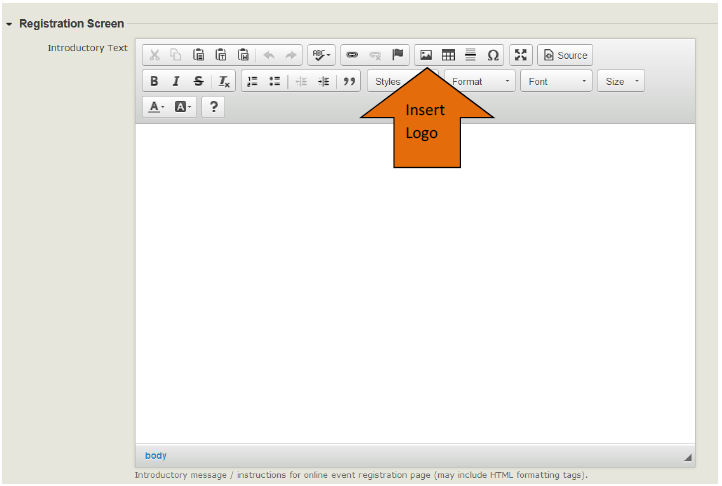
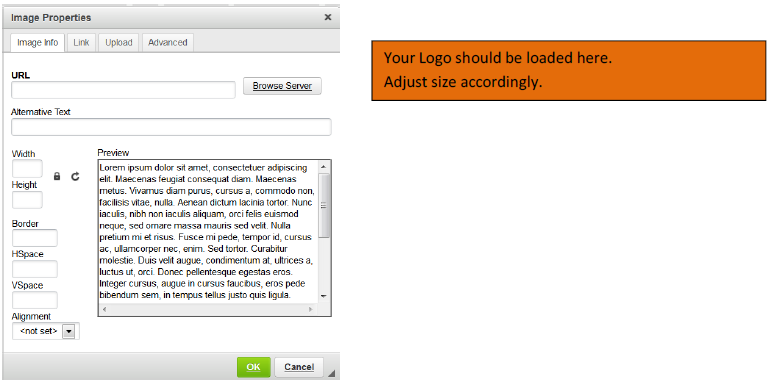
All of your online registration screens are on this page, scroll all the way down to Confirmation Email: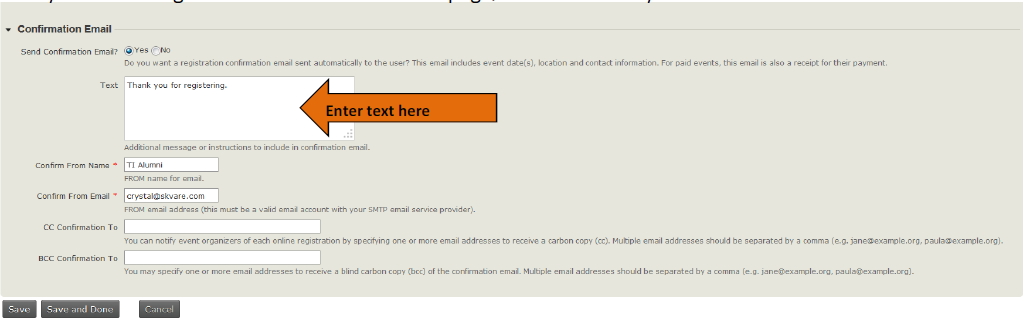
To clear off the event from the website:
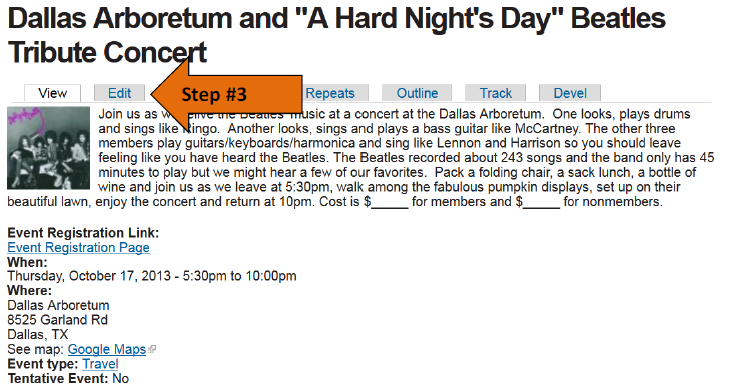
- Login to the website.
- Go to the webpage that describes the event.
- Hit the Edit Tab on top
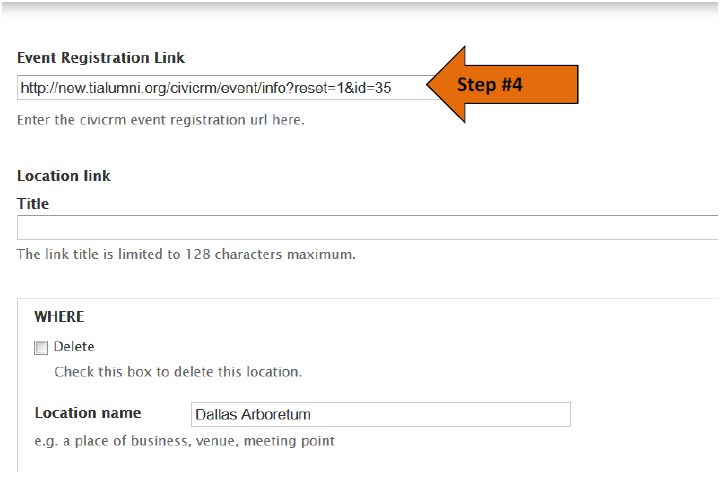
- In the next screen scroll down to the text mentioning the event link and erase.
- Hit Save.